The best microphones for video calls make your voice easier to hear while fitting your desk, connection needs, and call routine. These picks range from compact USB setups to adjustable boom-arm and USB/XLR options, so focus on how you connect and control audio during meetings.
Quick Top Products
FIFINE K683A USB Desktop Microphone

- Connects to Windows and Mac computers without an extra driver.
- Includes a gain knob, instant mute button, and headphone monitoring jack.
- Comes with a foldable tripod stand and detachable pop filter.
Best For: People who want mute, gain, and headphone monitoring close at hand for computer calls.

FIFINE K669B USB Microphone

- Connects directly to a computer USB-A port for plug-and-play use.
- Has a volume knob on the microphone.
- Uses a cardioid pickup pattern for front-facing voice capture.
Best For: Computer users who want a basic USB microphone with an on-mic volume knob.
FIFINE AmpliGame A6V USB Microphone
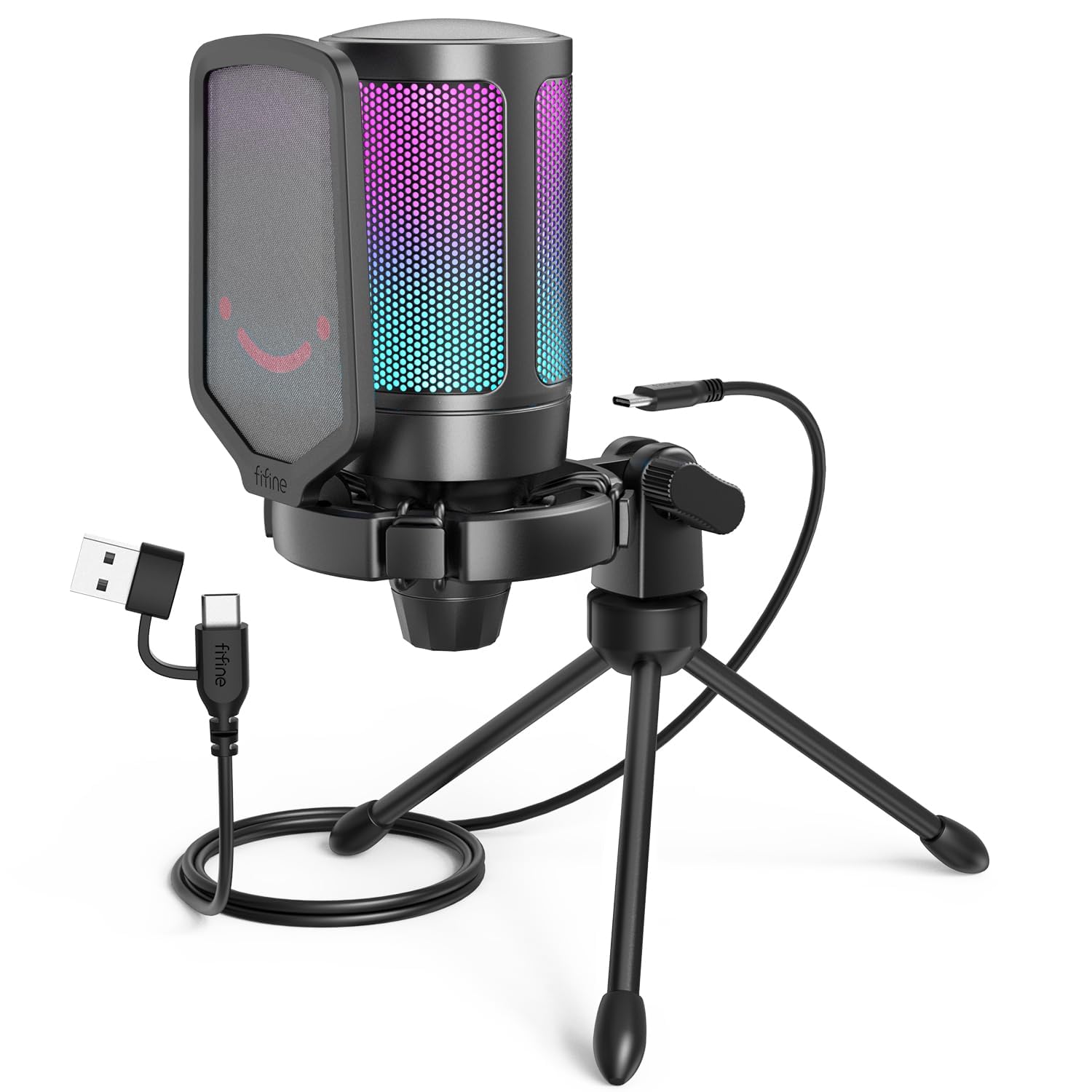
- Includes a tap-to-mute button and gain knob.
- RGB turns off when the microphone is muted.
- Includes a shock mount, pop filter, and tripod stand.
Best For: Frequent callers who want a desk mic with a visible mute indicator and included accessories.
MAONO DGM20 USB Gaming Microphone
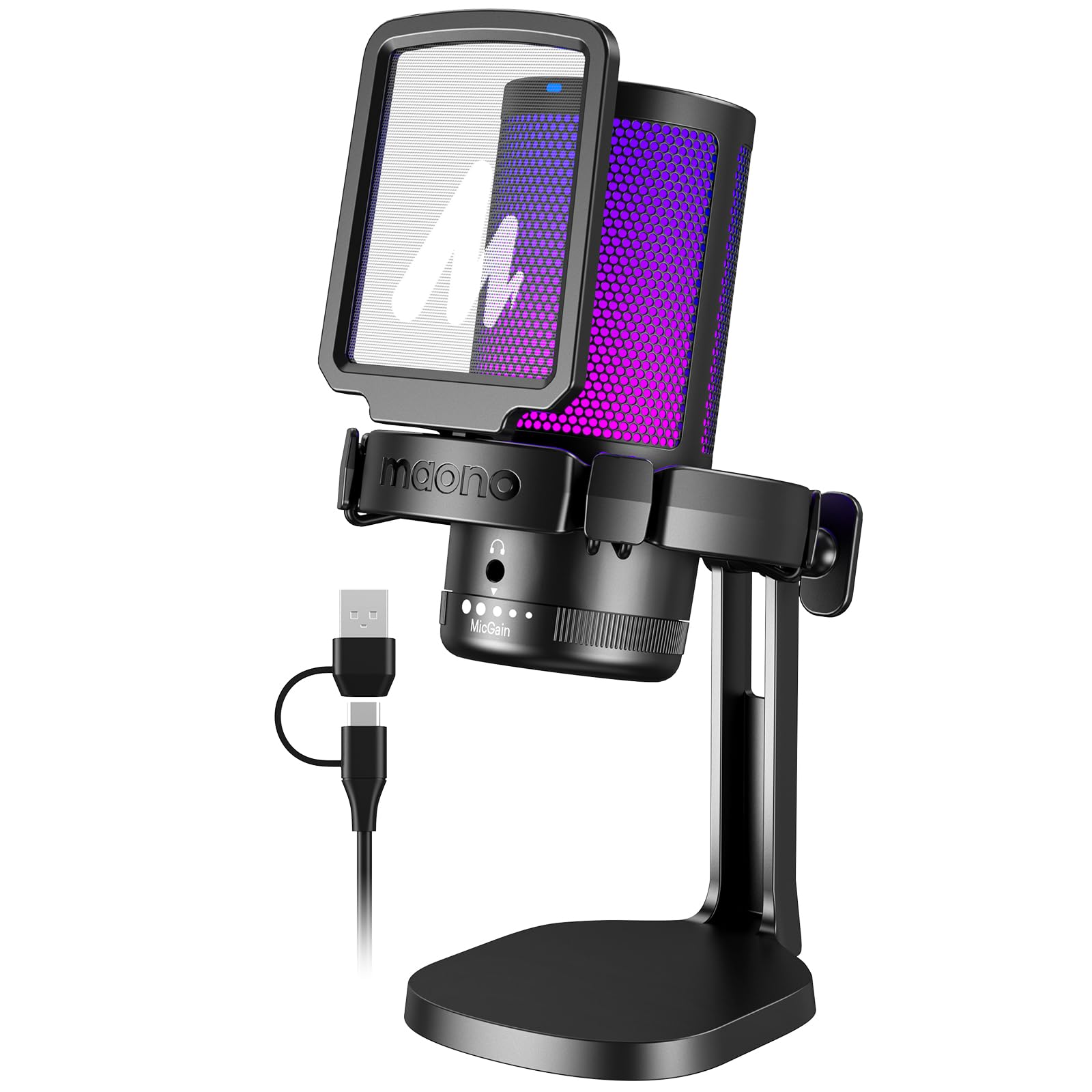
- Has a one-key noise cancellation function and front-focused cardioid pickup.
- Includes one-click mute, gain control, and a headphone monitoring jack.
- Comes with a USB and USB-C cable for device connection.
Best For: Callers in a noisy computer setup who want adjustable noise cancellation and headphone monitoring.
FIFINE AmpliGame AM8W XLR/USB Microphone

- Supports USB and XLR connections.
- Offers tap-to-mute, a gain knob, and headphone controls over USB.
- RGB lighting can be changed with a button over USB.
Best For: Callers who want USB simplicity now and the option to connect through an audio mixer later.
FIFINE AmpliGame A6T USB Microphone Kit
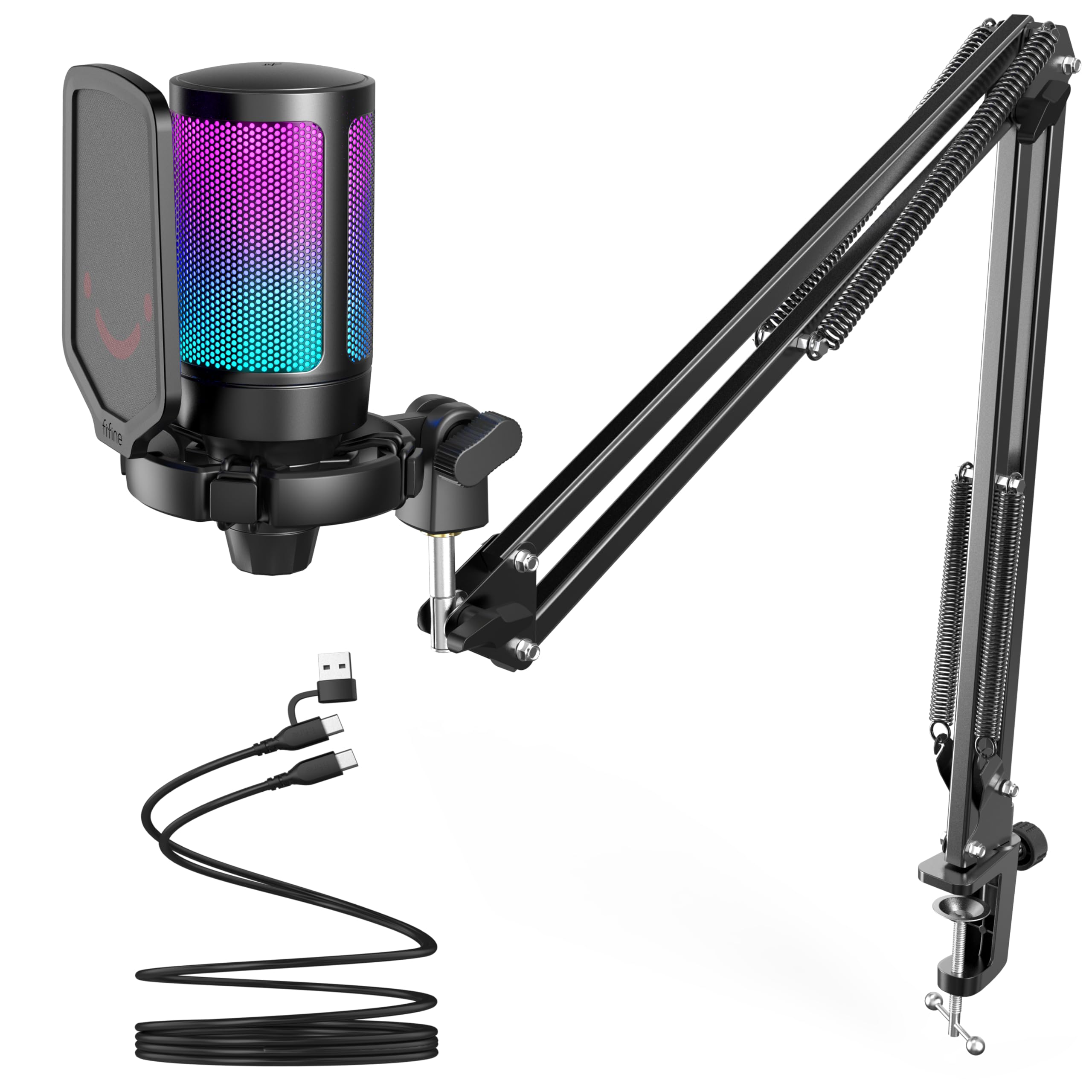
- Includes a boom arm that can be repositioned and folded away.
- Has a touch-mute button and a volume knob.
- The USB setup is compatible with Windows and Mac.
Best For: Callers who want to bring a USB microphone closer during meetings and fold it away afterward.
JLab Talk USB Microphone
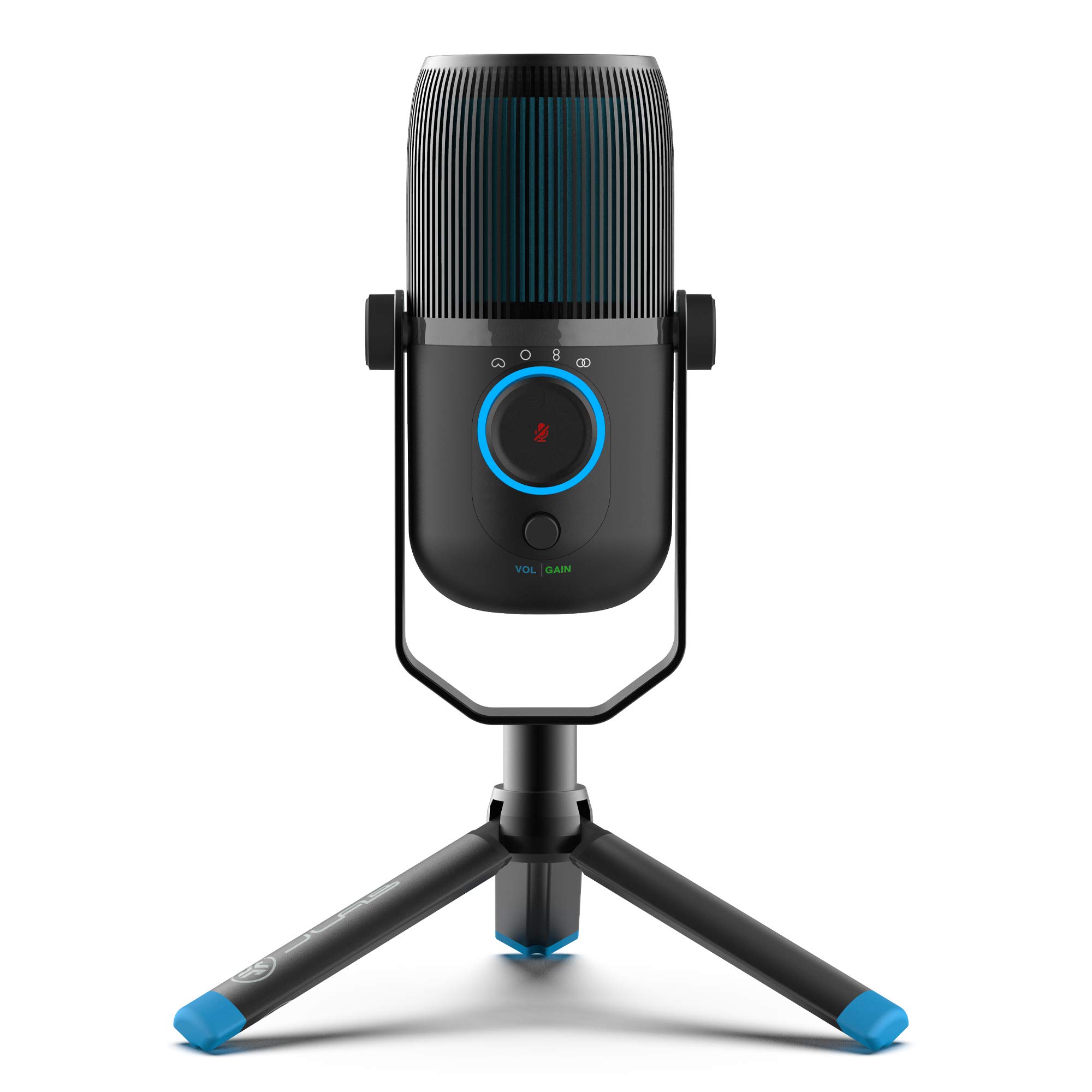
- Offers cardioid, omnidirectional, stereo, and bidirectional modes.
- Includes gain and volume controls with real-time listening input.
- Connects by USB or USB-C without drivers.
Best For: People who need to switch between solo calls and multi-person or room audio capture.
Samson Q2U Dynamic Microphone

- Offers USB-C and XLR connections.
- Connects directly to a computer with a USB-C interface.
- Includes a desktop tripod, windscreen, USB-C cable, and XLR cable.
Best For: Users who want a handheld dynamic mic that can connect directly by USB or into an XLR setup.
Samson Q9U XLR/USB Dynamic Microphone
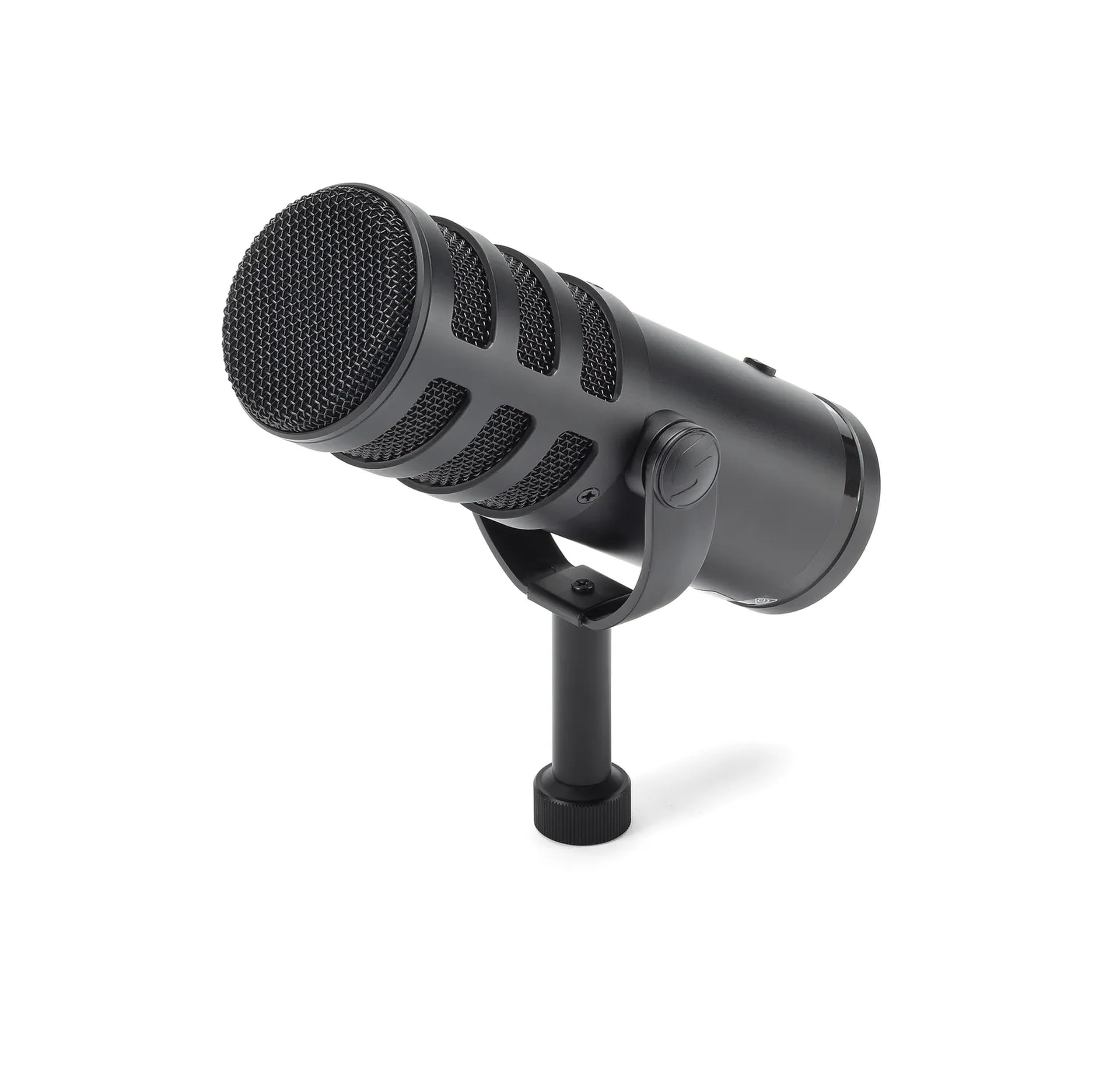
- Supports XLR and USB-C connections.
- Includes zero-latency headphone monitoring and an onboard mute switch.
- The cardioid pattern minimizes ambient pickup.
Best For: Callers building a broadcast-style desk setup with USB and XLR connection options.
Desk-Friendly Call Controls
FIFINE USB Desktop PC Microphone with Pop Filter for Computer and Mac, Studio Condenser Mic with Gain Knob Mute Button Headphone Jack for Gaming Streaming Recording YouTube, Extra USB-C Plug-K683A
The K683A is a straightforward desk microphone for people who want physical controls during video meetings. Its USB connection works with Windows and Mac computers, and it does not require an extra driver.
A gain knob helps adjust input level, while the mute button and headphone jack support quick call management and real-time monitoring. The cardioid condenser design focuses on sound from the front, and the included pop filter can soften plosive sounds.
Its foldable tripod keeps the setup simple, though the fixed desktop position may be less convenient than a boom arm when desk space is tight.
Best For: People who want mute, gain, and headphone monitoring close at hand for computer calls.
| Pros | Cons |
|---|---|
|
|
Choose the K683A if you want a compact USB setup with call controls on the mic itself. Its straightforward stand and headphone monitoring suit a regular desk, and the pop filter is useful when speech sounds sharp.
Check that your computer has a USB-A or USB-C port and that a tripod placement works with your keyboard and screen. If you prefer pulling the mic closer from the side, another option with a boom arm may fit your workspace better.
Simple USB Call Setup
FIFINE USB Microphone, Metal Condenser Recording Microphone for MAC OS, Windows, Cardioid Laptop Mic for Recording Vocals, Voice Overs, Streaming, Meeting and YouTube Videos-K669B
The K669B keeps the setup uncomplicated: connect its USB cable to a computer and use the cardioid condenser mic for online meetings, voice chats, or recordings. A volume knob on the microphone provides a direct way to change its level, and the small tripod stand keeps it on the desk without a separate arm.
The metal construction and plug-in USB power make it a practical fit for a fixed workstation. It is not compatible with phones or Xbox, so check the device connection before buying.
There is no listed headphone monitoring jack or dedicated mute control, which may matter for call-heavy schedules.
Best For: Computer users who want a basic USB microphone with an on-mic volume knob.
| Pros | Cons |
|---|---|
|
|
The K669B suits a caller who wants a basic microphone that connects directly to a computer and stays on the desk. Its volume knob adds useful control without software, while the small tripod avoids a larger mounting setup.
Before choosing it, check whether your call routine needs instant mute or headphone monitoring, since those controls are not specified. Also confirm your device has USB-A, because the supplied notes describe a direct USB-A connection.
Mute Status at a Glance
FIFINE Gaming USB Microphone for PC PS5, Condenser Mic with Quick Mute, RGB Indicator, Tripod Stand, Pop Filter, Shock Mount, Gain Control for Streaming Discord Twitch Podcasts Videos- AmpliGame
The AmpliGame A6V is a USB condenser microphone with a tripod, pop filter, and shock mount, making it a self-contained desk setup for video meetings and voice chat. Its tap mute control turns off the RGB light when muted, providing a visual status cue, and the gain knob gives quick access to microphone level.
The cardioid pattern focuses on voice in front and helps reduce background pickup. It connects to desktop and laptop computers without extra software.
The supplied details emphasize gaming, but its USB connection, quick mute, and voice-focused pattern also suit everyday calls when a desktop stand is convenient.
Best For: Frequent callers who want a desk mic with a visible mute indicator and included accessories.
| Pros | Cons |
|---|---|
|
|
Pick the A6V if seeing mute status is useful during meetings and you prefer a desktop tripod. Its quick controls are easy to reach, and the shock mount and pop filter are included rather than separate purchases.
The feature set is oriented toward gaming, so consider whether RGB styling suits a work desk. Confirm that you can place the mic close enough to speak toward its front, since a tripod gives less positioning range than an arm.
Noise-Cancellation Controls
MAONO USB Gaming Microphone for PC, Noise Cancellation Condenser Mic with RGB, Mute, Gain, Computer Desk Mic for Streaming, Podcast, Chat, Twitch, YouTube, Discord, PS5, PS4, GamerWave DGM20 Black
The MAONO DGM20 combines USB plug-and-play setup with a one-key noise cancellation function and a cardioid pickup pattern aimed at voice coming from the front. Its gain control and one-click mute are useful during calls, while the 3.5 mm headphone jack supports real-time monitoring.
The USB and USB-C cable expands connection options for computers and compatible devices. Adjustable smart noise cancellation software is available on Windows, so its software-based controls are platform-dependent.
RGB lighting is also included, with several modes. This is a desk-oriented option for someone who values controls and noise-management features in a single microphone.
Best For: Callers in a noisy computer setup who want adjustable noise cancellation and headphone monitoring.
| Pros | Cons |
|---|---|
|
|
The DGM20 is a practical match if you take calls near computer or room noise and want a direct noise-cancellation control plus headphone monitoring. Its onboard mute and gain controls also suit frequent meeting changes.
The extra smart cancellation software is Windows-only, so Mac users should weigh the basic hardware controls on their own. Check whether you have room for a desk microphone and whether the RGB styling fits the setting where you make work calls.
USB or Mixer Connection
FIFINE XLR/USB Gaming Microphone for Streaming Podcasting, PC Computer RGB Mic, with Gain Knob, Mute Button, Monitoring Jack, Gamer Mic for Recording Video Creation-AmpliGame AM8 White
The white AmpliGame AM8W offers USB and XLR connections in a dynamic microphone designed for streaming and other voice work. USB is the simplest route to a computer, while XLR can connect to a mixer or sound card.
Its gain knob, tap-to-mute control, headphone jack, and headphone volume control are available over USB, giving callers useful direct adjustments. RGB lighting can be turned on, off, or changed from the mic.
The dynamic design is intended for close speech; the supplied notes suggest a 2 to 6 inch recording range, so it works best when the microphone can sit near the speaker rather than across the desk.
Best For: Callers who want USB simplicity now and the option to connect through an audio mixer later.
| Pros | Cons |
|---|---|
|
|
Choose the AM8W if USB convenience matters today but you may later route calls through a mixer or sound card. Its physical controls and headphone connection are useful for managing voice level without reaching for computer settings.
The close suggested recording range means placement matters; plan for the mic to sit near your mouth. This white version adds RGB styling, so weigh that desk appearance against the need for a more subdued meeting setup.
Boom Arm for Flexible Positioning
FIFINE Gaming PC USB Microphone, Podcast Condenser Mic with Boom Arm, Pop Filter, Mute Button for Streaming, Twitch, Online Chat, RGB Computer Mic for PS4/5 PC Gamer Youtuber-AmpliGame A6T
The AmpliGame A6T is a USB condenser microphone kit with a boom arm, pop filter, and shock mount. That arm can bring the mic toward the speaker during a call and fold away to free desk space afterward.
A top-mounted touch mute and bottom volume knob provide direct controls, while the cardioid pattern focuses on the front voice. It connects to Windows, Mac, PS4, and PS5 without extra plug-ins.
This is a gaming-styled microphone, but the practical call advantages are its positioning range and easy access to mute and level. Check clamp compatibility with your desk before buying.
Best For: Callers who want to bring a USB microphone closer during meetings and fold it away afterward.
| Pros | Cons |
|---|---|
|
|
Choose the A6T if you need the mic to move between active call use and a clearer desktop. The boom arm, touch mute, and volume knob make it a flexible USB setup without requiring software controls for basic adjustments.
Its clamp has a stated thickness limit, so measure the desk edge before buying. A boom arm also needs space to swing and park; a compact tripod may be easier if your desk is crowded.
Four Pickup Patterns for Shared Calls
JLab Talk USB Microphone, USB-C Output, Cardioid, Omnidirectional, Stereo or Bidirectional, 96k Sample Rate, 20Hz, 20kHz Frequency Response, Volume, Gain Control, Quick Mute, Plug & Play
The JLab Talk stands out for its four pickup modes: cardioid, omnidirectional, stereo, and bidirectional. That range is useful when the microphone must cover different call arrangements, from one speaker at a desk to a small group around the mic.
It connects by USB or USB-C without drivers, and includes gain and volume controls plus a 3.5 mm input for real-time listening. The desktop-style microphone can also use a standard 5/8-inch mount.
Its flexible patterns add options, though callers should choose a mode suited to who needs to be heard and where they are sitting.
Best For: People who need to switch between solo calls and multi-person or room audio capture.
| Pros | Cons |
|---|---|
|
|
The Talk is the flexible choice for callers whose setup sometimes includes more than one person. Its four pickup patterns let you adapt the capture direction, while the gain, volume, and monitoring controls help manage the signal.
Before buying, check what stand or mount you need, since the microphone has a mounting input but an included stand is not specified here. For routine one-person calls, a simpler cardioid USB mic may be easier to position.
Handheld USB/XLR Flexibility
Samson Q2U Dynamic USB-C/XLR Microphone
The Samson Q2U is a dynamic handheld microphone with both USB-C and XLR connections. Its USB-C interface connects directly to a compatible computer, making it usable for calls without a separate audio interface.
The included tripod desktop stand, extension, mic clip, windscreen, and cables provide the main pieces for getting started at a desk. The handheld form can be positioned near the speaker, though it is less of a fixed desktop control center than some condenser microphones with onboard gain and mute controls.
It is a versatile option for people who may also use a mixer or recorder beyond video calls.
Best For: Users who want a handheld dynamic mic that can connect directly by USB or into an XLR setup.
| Pros | Cons |
|---|---|
|
|
Pick the Q2U if you value connection flexibility and want a mic that can move between computer calls and other recording equipment. Its included stand and windscreen support desk use, while the USB-C and XLR paths keep options open.
The handheld form means you should plan where it will sit and how close you will speak. Confirm that your computer has a compatible USB-C interface or that you have a suitable XLR setup.
Broadcast Controls and Monitoring
SAMSON Q9U XLR/USB Dynamic Broadcast Microphone
The Samson Q9U is a dynamic broadcast microphone with USB-C and XLR outputs, making it suitable for both a direct computer connection and a more involved audio setup. Over USB it supports 24-bit/96kHz digital audio and zero-latency headphone monitoring, while an onboard mute switch silences both USB and XLR outputs.
Its cardioid pattern emphasizes sound from the front and minimizes ambient pickup, and the internal shock mount and dual-layer windscreen address mechanical noise and plosives. It is a larger commitment than a simple plug-in desktop mic, so check whether its broadcast-style placement and controls fit your call desk.
Best For: Callers building a broadcast-style desk setup with USB and XLR connection options.
| Pros | Cons |
|---|---|
|
|
The Q9U fits callers who want monitoring and mute controls in a broadcast-style dynamic microphone, with USB-C for a direct computer link and XLR for a more developed setup. Its cardioid pattern and built-in windscreen are practical for close voice use.
Plan for a compatible mount, since an included desktop stand or boom arm is not specified. It makes most sense when those connection choices and onboard controls matter more than a minimal footprint.
How to Choose Microphones For Video Calls
How We Picked Microphones for Video Calls
This roundup prioritizes direct computer connection, speech-focused pickup, useful call controls, and practical desk placement. The selected options include simple USB microphones, models with mute and headphone monitoring, boom-arm kits, and microphones that can also connect through XLR.
Those differences matter because a regular one-person call has different needs from a shared-room meeting or a desk that must clear between calls.
We also considered whether the included setup is ready for a desk. Tripods provide a compact footprint, while boom arms let the microphone move closer and park out of the way.
Products aimed at gaming or podcasting are included where their controls and connection options carry over clearly to calls. Color variants and near-duplicate models do not add a new call use case.
Comparing Microphones for Video Calls
The simplest path is a USB model such as the FIFINE K669B or K683A: connect it to a computer and use it from the desk. The K683A adds a mute button and headphone monitoring, while the K669B keeps to a basic volume knob and tripod.
The MAONO DGM20 adds a noise-cancellation control and headphone monitoring, with its adjustable software function limited to Windows.
For positioning, compare a desktop tripod with an arm kit like the FIFINE A6T or MAONO PD200XS. An arm can bring the mic closer and move it away when the call ends, but it needs a suitable desk edge and room to swing.
The Samson Q2U and Q9U add XLR alongside USB, while the FIFINE AM8W also combines USB/XLR with on-mic controls. The JLab Talk serves a different need with four pickup patterns for calls involving more than one speaker.
| Product | Standout features | Best for |
|---|---|---|
| FIFINE K683A USB Desktop MicrophoneCheck Price |
| People who want mute, gain, and headphone monitoring close at hand for computer calls. |
| FIFINE K669B USB MicrophoneCheck Price |
| Computer users who want a basic USB microphone with an on-mic volume knob. |
| FIFINE AmpliGame A6V USB MicrophoneCheck Price |
| Frequent callers who want a desk mic with a visible mute indicator and included accessories. |
| MAONO DGM20 USB Gaming MicrophoneCheck Price |
| Callers in a noisy computer setup who want adjustable noise cancellation and headphone monitoring. |
| FIFINE AmpliGame AM8W XLR/USB MicrophoneCheck Price |
| Callers who want USB simplicity now and the option to connect through an audio mixer later. |
| FIFINE AmpliGame A6T USB Microphone KitCheck Price |
| Callers who want to bring a USB microphone closer during meetings and fold it away afterward. |
| JLab Talk USB MicrophoneCheck Price |
| People who need to switch between solo calls and multi-person or room audio capture. |
| Samson Q2U Dynamic MicrophoneCheck Price |
| Users who want a handheld dynamic mic that can connect directly by USB or into an XLR setup. |
| Samson Q9U XLR/USB Dynamic MicrophoneCheck Price |
| Callers building a broadcast-style desk setup with USB and XLR connection options. |
Choosing a Microphone for a Home Office
Start with the computer connection you will actually use. USB models are the direct route for many laptops and desktops; USB-C may simplify a newer setup, while XLR is useful when you already have a mixer or audio interface.
Several dual-connection microphones retain USB convenience while leaving an XLR path open, but check which controls remain available on each connection. On the MAONO PD200XS and FIFINE AM8W, key controls are tied to USB.
Next consider placement. A tripod sits on the desk and is easy to set down, while a boom arm helps move the microphone toward your speaking position.
Desk space, monitor placement, and the thickness of the desk edge can determine whether an arm works. For any cardioid microphone, face the front of the mic toward your voice and keep it within comfortable speaking distance; a mic across the desk may not suit a close-talk design.
Pickup Patterns, Mute, and Monitoring for Meetings
A cardioid pattern focuses on sound from the microphone's front, which suits a single speaker who can sit near it. If several people share one microphone, the JLab Talk's omnidirectional, stereo, and bidirectional modes offer alternate capture patterns.
Select the pattern to match where participants sit, and expect room sound to matter more when capturing a broader area.
Mute and monitoring are separate conveniences. A physical mute button or tap control can help when interruptions happen, and a light that changes with mute status makes the state easier to see.
A headphone jack supports real-time listening, which can help you notice level or sound issues during a call. These are practical desk controls rather than substitutes for checking the meeting app's selected microphone and audio settings.
Who Should Buy Which Video Call Microphone?
Choose the FIFINE K669B for a basic USB microphone with a volume knob, or the K683A if mute and headphone monitoring are useful. The MAONO DGM20 makes sense when you want a noise-cancellation control and can use its Windows software features.
For flexible positioning, consider the FIFINE A6T or MAONO PD200XS, checking clamp fit and space first.
Choose the JLab Talk if your calls sometimes include multiple people and different pickup modes would help. The Samson Q2U is a handheld USB/XLR choice with a supplied desktop tripod, while the Samson Q9U and FIFINE AM8W suit callers who want broadcast-style or dual-connection flexibility.
Match the microphone to your computer ports, desk layout, and whether you need mute and monitoring controls within reach.